

Welcome back! Last month, we walked through how to catch a target on to our WiFi Pineapple Pager, and act as a MITM. This month, we’re pushing that leverage further, looking for ways to manipulate the target into signing in to their Microsoft account while we have Evilginx running to capture creds in plaintext
We’re excited to finally get to check out the power of Evilginx , it’s been on our list of things for quite a while now. In this setup, we used a VPS service, set up a small host to run our Evilginx server, and tricked a Windows user (a throwaway account) to type in their username and password.
To help us demonstrate this concept, we put together this Evilginx portal script for the WiFi Pineapple. We would describe this tool as a lightweight, dependency-free captive portal redirector built for the WiFi Pineapple Pager.
Its only job is to intercept the target’s first HTTP request and silently redirect them to an Evilginx lure URL running on a remote VPS, where a login page (with a valid TLS certificate) handles credential and session cookie capture.
Before jumping on what the payload does, let’s go over DNS-over-HTTPS(DoH). DNS over HTTPS (DoH) tunnels DNS queries inside encrypted HTTPS traffic, routing them to resolvers like Google (8.8.8.8) or Cloudflare (1.1.1.1). That bypasses local DNS servers entirely, which means a captive portal’s dnsmasq-based spoofing gets ignored by any client using DoH.
Our script counters that by injecting address=/ null-route entries directly into dnsmasq.conf for all the major DoH provider domains, sinkholing them to 0.0.0.0 so those encrypted resolver endpoints become unreachable. With DoH dead, clients fall back to plain DNS, which dnsmasq controls and the captive portal domain spoofs land as intended.
So, in summary! the payload starts by killing DoH providers at the dnsmasq level so browsers can’t bypass the Pager’s DNS, then spoofs the OS captive portal detection domains > msftconnecttest.com for Windows > pointing back to the Pager at 172.16.52.1.
The moment a device joins the AP, the OS detects the captive portal, auto-fires a browser window, and the user lands on the Evilginx-proxied login page.
Pics, or it didn’t happen…
We’ll pick it up right where we left off last month, getting a target connected to our Pager’s Drunkin_Donuts-Guest network.
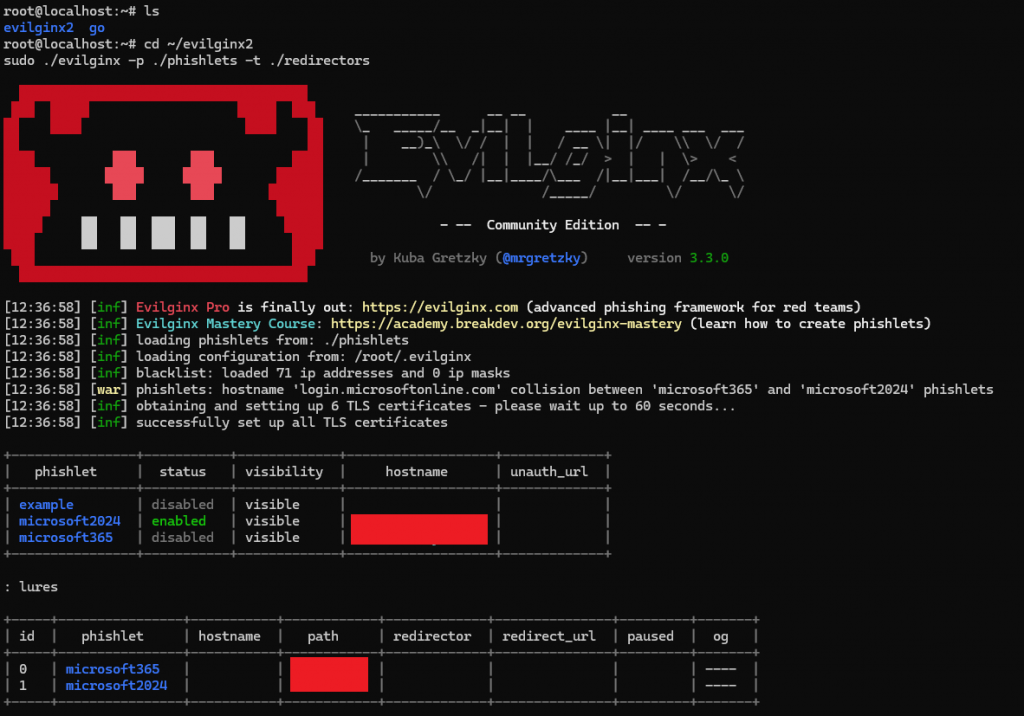
Once we get a lure assigned on Evilginx, we’re going to slap that into Tinyurl for 2 reasons:
- It seems we are capped in the pager on how many characters we can enter for the URL, and we’re a few characters too many.
- Helps mask our real URL
Now to run our Evilginx payload on the pager
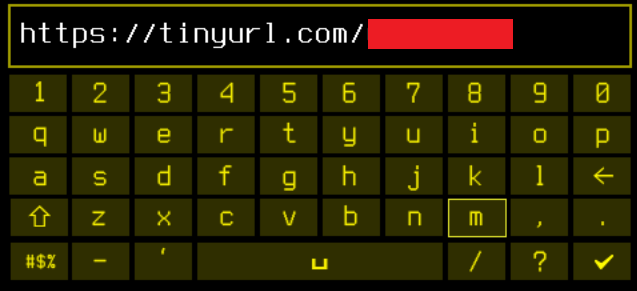
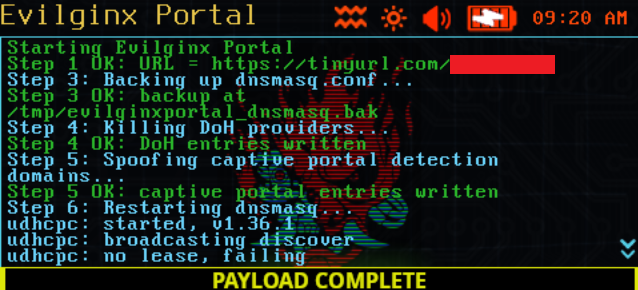
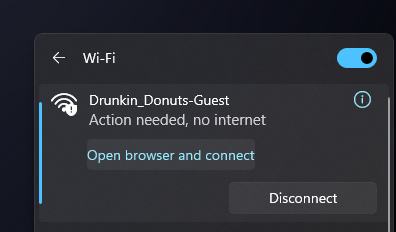
Once connected, the target host, in this case running Windows OS, receives an “Action needed” flag. Shout out again to Doc Voom for this pefect Cyberpunk theme, truly amazing. Back on the target:
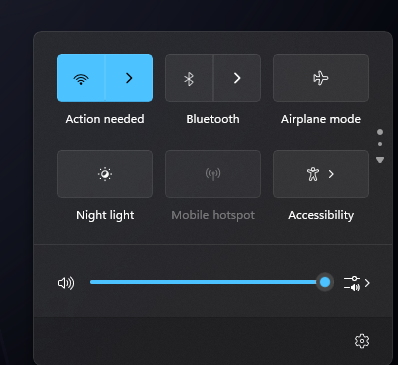
Suspicious? At home, yea, totally. On public WiFi though? Not so much. Moving forward, by investigating further, there’s a request to open browser and connect. Fair enough.
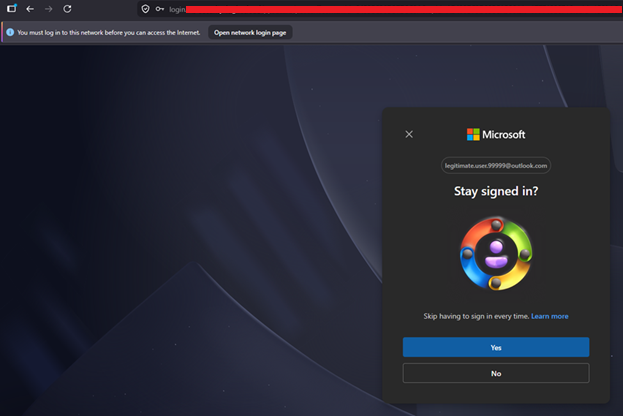
The browser pulls up, and presents a very convincing Microsoft login page. Microsoft was simply chosen for this exercise, and can simply be swapped out for several different targets, Apple, Google, to name a few, thanks to the power of Evilginx.
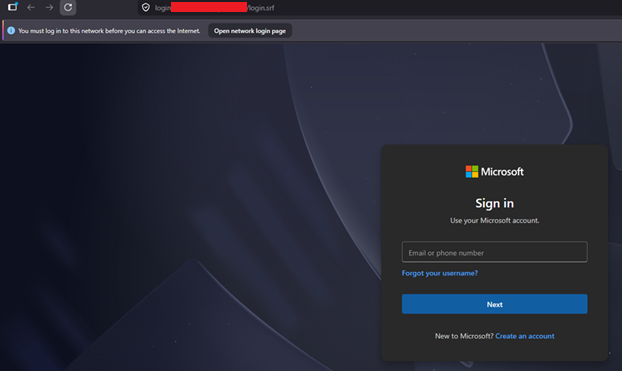
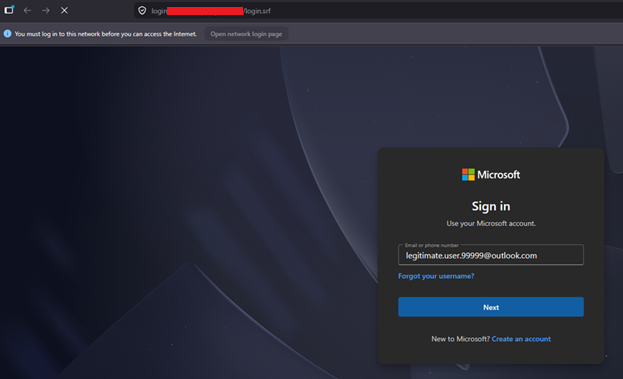
Ok, so as the victim in this case, I might stop and think… why do I need to sign in to my Microsoft account, right? This is where all that phishing campaign $$$ comes in well spent from your workplace! So let’s check for those signs, any misspellings? Any signs of urgency? Suspicious URL? We may not reveal ours, but yea, it’s convincing. Even worse, what if this user is on their work computer? On public WiFi? Easy to think this is just work, needing you to sign in again. Since we got a throw away account set up already, we’ll press on.
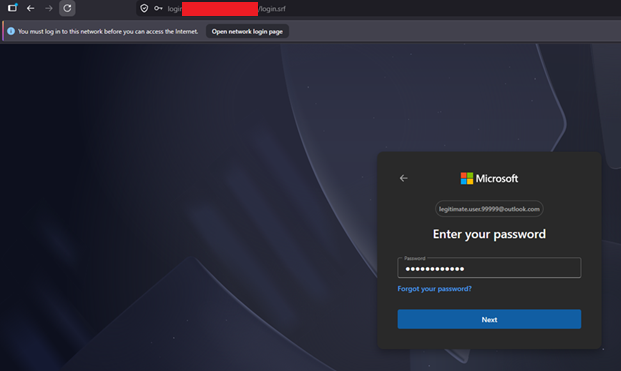
We throw in our trash account’s password:
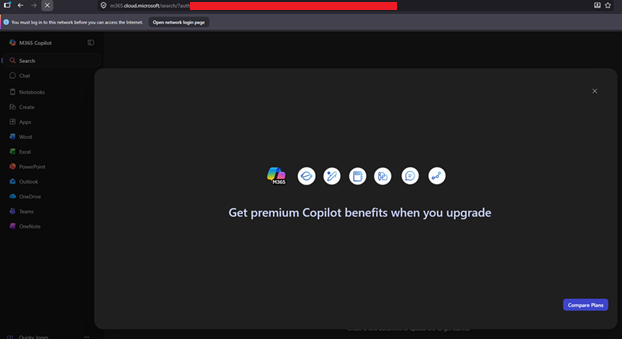
Then finally arrive at a a pretty blank Microsoft page, as this user has no services
Time to check what’s going on in Evilginx:
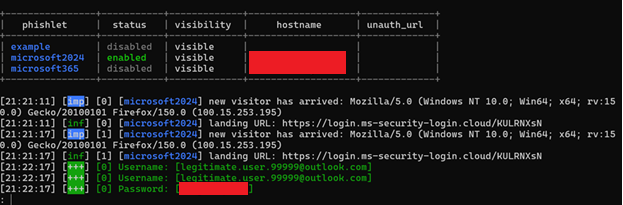
Boom, there’s the loot. Valid creds, email and password, plaintext. Our work here is done. We can run the evilginx_portal_stop.sh to remove that WiFi “sign in to network” alert
What we really like about this months topic, is that it brings 2 very powerful ideas together, Evilginx, and the Pineapple Pager. Chaining them together using the Pager to control the network and Evilginx to serve up a perfect login page, shows just how quickly a simple “sign in to WiFi” prompt can turn into a full credential compromise. No sketchy pop-ups, no janky fake pages. Just a clean redirect and a login form most people wouldn’t think twice about.
Remember, the better we understand how these attacks work, the better we can defend against them. And, if this got you thinking twice about that next hotel or coffee shop WiFi prompt.. well good. That’s the point.
You can find our Evilginx WiFi Pager tools and plenty more at our GitHub.
Until next time!!!